
AskLibra vs TubeBuddy vs VidIQ: Which Tool Actually Helps You Grow?
Key Takeaways
- 1
TubeBuddy and VidIQ excel at keyword research and thumbnail A/B testing, but they surface generic channel-level scores rather than diagnosing why your specific videos underperform.
- 2
AskLibra's 90-day retroactive analysis scans your actual upload history to identify patterns in retention, posting time, and format performance that keyword tools cannot detect.
- 3
Choosing the right tool depends on your growth stage: keyword discovery tools work best in the first 10 videos, while data-pattern tools become essential once you have enough upload history to compare.
- 4
Using both categories together — one for pre-upload optimization, one for post-upload diagnosis — gives creators a complete feedback loop instead of half the picture.
Why Comparing These Three Tools Is Harder Than It Looks
TubeBuddy, VidIQ, and AskLibra are all described as "YouTube growth tools," but they solve fundamentally different problems. Grouping them together is like comparing a spell-checker, a grammar coach, and a writing tutor: each touches the same document but at a different stage and with a different lens.
To give you a fair comparison, this article breaks each tool down by what it actually measures, what decision it helps you make, and which creator stage it serves best. No sponsored rankings. No vague feature lists.
What TubeBuddy Actually Does
TubeBuddy is a browser extension that layers data directly onto YouTube Studio. Its core strength is keyword research and tag optimization — helping you find search phrases your target audience types before they see any results.
Its most-used features include:
Keyword Explorer: Shows search volume, competition level, and an overall "score" for any search phrase. Useful for choosing titles and descriptions before you upload.
A/B Testing for Thumbnails and Titles: Runs a split test between two thumbnail or title variants to see which earns a higher CTR (click-through rate — the percentage of viewers who click your video after seeing it in their feed). This is one of TubeBuddy's most concrete, data-backed features. Learn more about why CTR matters in What is YouTube CTR and why does it control your channel's growth?
Best Time to Publish: Suggests posting windows based on when your subscribers are active. This is directionally useful but is based on subscriber activity, not on which posting times have historically produced your best view counts.
Who TubeBuddy is best for: Creators who are actively building out their search presence and want to optimize each upload before it goes live. It is a pre-publish tool.
What VidIQ Actually Does
VidIQ positions itself as a broader channel intelligence platform. Like TubeBuddy, it offers keyword research, but it adds a competitive intelligence layer: you can see which tags competitors are ranking for, how their videos perform over time, and receive daily video ideas generated from trending topics in your niche.
Key VidIQ features worth understanding:
Channel Audit Score: A composite number that grades your channel on upload consistency, engagement, and SEO. The number is motivating to track but broad — a score of 72 does not tell you which three videos dragged it down or why.
Trend Alerts: Notifies you when a keyword or topic is gaining search momentum. Useful for reactive content — jumping on a trend before it peaks.
Competitors Tab: Lets you benchmark your channel's growth rate against similar creators. This is genuinely useful context for setting realistic targets.
AI Coaching (VidIQ Coach): A chat-based assistant that answers questions about your channel and suggests next steps. Quality varies significantly depending on how much channel history VidIQ can access.
Who VidIQ is best for: Creators who want competitive context and trend-reactive content ideas. It excels at helping you understand the landscape your videos are competing in.
What AskLibra Actually Does
AskLibra takes a different approach entirely. Rather than helping you optimize before you upload, it analyzes what has already happened across your channel's history to surface patterns you cannot see video-by-video.
Its flagship feature is a 90-day retroactive analysis: AskLibra ingests your recent upload history and looks for correlations across retention curves, posting times, video formats, and engagement signals. The goal is to answer the question most tools ignore — "given everything I have already posted, what should I do differently next?"
For a detailed walkthrough of how this works, see How AskLibra's 90-Day Analysis Works — And What It Finds in Your Channel.
Key AskLibra features:
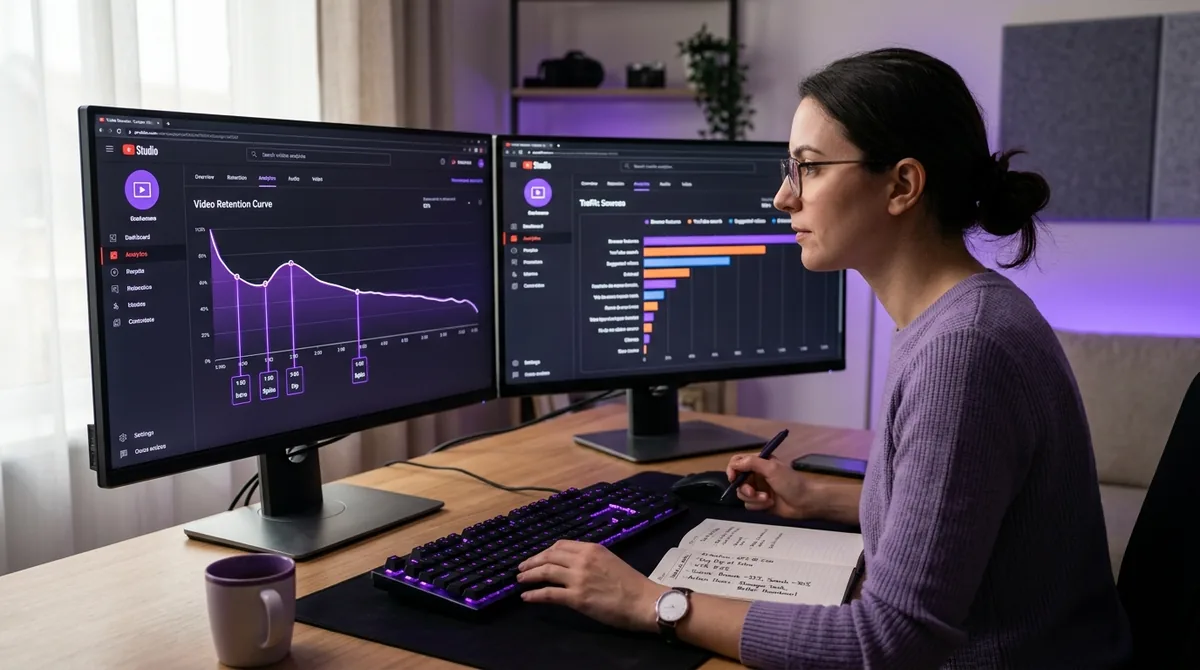
Retention Pattern Analysis: Identifies the exact timestamps where viewers most commonly stop watching across multiple videos. This is different from looking at one video's retention curve — it finds structural problems in your format. For a deeper explanation of what retention numbers mean, read YouTube Audience Retention: What the Numbers Actually Mean.
Format Performance Scoring: Compares how different video formats (long-form, Shorts, carousels, etc.) perform on your specific channel, not channel averages across YouTube broadly. Based on AskLibra data from 4 connected channels and 511 videos analyzed, image and carousel formats outperform video in average engagement — a finding that would be invisible inside a keyword-focused tool.
Optimal Posting Time (Channel-Specific): Rather than using subscriber activity as a proxy, AskLibra looks at which actual posting windows have historically produced the strongest view performance on your channel. For a full methodology, see How to Find Your Best Posting Time on YouTube Using Your Own Data.
Hook Rate Diagnosis: Hook rate is the percentage of viewers who continue watching past the first 30 seconds of a video. AskLibra flags videos where hook rate underperforms your channel average and correlates that drop with title framing, thumbnail type, or intro length.
Who AskLibra is best for: Creators who have 20 or more uploaded videos and want to understand why their channel is growing (or stalling) rather than what keywords to target next. It is a post-upload diagnosis tool. This feedback loop is explored in depth in The 20-30 Video "Data Feedback" Loop: How to Turn Your First Month of Uploads into a Growth Roadmap.
Head-to-Head: Where Each Tool Wins and Loses
Keyword Research
Winner: TubeBuddy or VidIQ. AskLibra does not do keyword research. If you need to discover what phrases people are searching, TubeBuddy's Keyword Explorer or VidIQ's trend alerts are the right tools for that job. Using AskLibra for keyword discovery is like using a spreadsheet to shoot video.
Thumbnail and Title Optimization
Winner: TubeBuddy (for A/B testing) and AskLibra (for pattern diagnosis). TubeBuddy lets you test two variants head-to-head on a live video. AskLibra tells you, across all your past videos, which thumbnail styles and title structures have historically earned higher CTR on your channel. Together they cover both the test and the historical baseline.
Retention and Watch-Time Diagnosis
Winner: AskLibra. Neither TubeBuddy nor VidIQ surfaces multi-video retention pattern analysis. They can show you a single video's audience retention graph inside YouTube Studio, but they do not identify structural problems that repeat across your catalog. For channels where watch time is the primary bottleneck, this is the most important gap. The broader implications of retention data are covered in What 90 Days of YouTube Data Actually Reveals About Content Performance.
Competitive Intelligence
Winner: VidIQ. If you want to benchmark your channel against competitors or spot trending topics before they peak, VidIQ's competitor tab and trend alerts are purpose-built for that. AskLibra is inward-facing by design — it works on your data, not your competitors'.
Algorithm Understanding
All three tools help you work with the YouTube algorithm, but none of them explain it in full. For that context, read What is the YouTube Algorithm in 2026? A Data-Driven Breakdown. Understanding the algorithm is the foundation that makes every tool more useful.
The Tool Stack That Actually Makes Sense
The creators who grow fastest in 2026 are not picking one tool and ignoring the others. They are building a two-phase workflow:
Phase 1 — Pre-upload (keyword + title + thumbnail): Use TubeBuddy or VidIQ to validate keyword demand, draft a title that balances search intent with curiosity, and test thumbnail variants before or immediately after publishing.
Phase 2 — Post-upload diagnosis (retention + timing + format): Use AskLibra to analyze what your last 90 days of uploads reveal about your channel's structural performance gaps. This is where you find out if your hook is weak, your format is wrong for your audience, or your posting schedule is misaligned with peak viewership.
This two-phase stack is what 7 Creator Tools Every YouTube Creator Should Be Using in 2026 recommends as the baseline setup for serious creators. The key insight is that pre-publish optimization and post-publish diagnosis answer different questions — and you need both answers to grow deliberately rather than by accident.
For a broader look at which metrics to prioritize inside any tool, 3 YouTube Metrics That Actually Matter (And 2 That Are Just Vanity) gives a clean framework for cutting through dashboard noise.
Frequently Asked Questions
Is AskLibra a direct replacement for TubeBuddy or VidIQ?
No. AskLibra focuses on retroactive pattern analysis across your upload history, while TubeBuddy and VidIQ focus on keyword research and pre-upload optimization. They serve different stages of the content workflow and work best when used together rather than as substitutes.
Do I need a minimum number of videos before AskLibra is useful?
AskLibra's pattern-detection becomes statistically meaningful once you have approximately 20 or more uploaded videos. With fewer uploads, there is not enough data to identify reliable trends in retention, format performance, or posting time across your specific channel.
Which tool is best for a brand new channel with zero subscribers?
For a new channel, TubeBuddy or VidIQ will deliver more immediate value because keyword research and title optimization matter most when you have no upload history to analyze. Start building keyword-informed content first, then add a diagnostic tool like AskLibra once your upload history is large enough to reveal patterns.
What does "hook rate" mean, and which tool measures it?
Hook rate is the percentage of viewers who keep watching past the first 30 seconds of a video. It is one of the strongest early signals of whether your intro is delivering on the promise made in your title and thumbnail. AskLibra surfaces hook rate comparisons across multiple videos; TubeBuddy and VidIQ do not offer this multi-video hook rate diagnosis.
Can these tools help with YouTube Shorts, not just long-form videos?
TubeBuddy and VidIQ offer limited Shorts-specific features, primarily around keyword tagging. AskLibra analyzes Shorts performance as part of its format comparison — identifying whether your Shorts or long-form videos drive stronger engagement on your specific channel, which is more actionable than a generic platform average.
Ready to see what the data says about your channel?
Stop guessing. Use AskLibra to get a personalized 90-day growth gameplan and find your perfect posting window.
No credit card required • Join 2,000+ creators