
How One Creator Stopped Guessing and Grew 40% With Data-Driven Posting Times
Key Takeaways
- 1
Posting at random times trains YouTube's algorithm to deprioritize your content — your own channel data reveals the exact hours your audience is most active.
- 2
Switching from intuition-based scheduling to data-driven posting times can produce measurable view and engagement lifts within a single 30-day window.
- 3
The 3:00–4:00 PM publishing window is not universal — the right posting time is specific to your niche, audience timezone, and content format.
- 4
A 90-day historical analysis of your own videos is the most reliable method for identifying peak posting hours — not generic best-practice lists.
The Guessing Game That Was Killing Her Channel
Maya runs a real estate education channel. She posts walkthroughs, mortgage breakdowns, and neighborhood guides. For 14 months, she uploaded whenever the video was ready — sometimes Tuesday at noon, sometimes Friday at 9 PM. Her view counts were erratic. Some videos jumped; most flatlined. She assumed the problem was her thumbnails.
It wasn't her thumbnails.
When Maya connected her channel to AskLibra and ran a full historical analysis, the data pointed to a different culprit: she was publishing her best content when her audience was asleep, commuting, or at work. The mismatch between her upload time and her viewers' active hours meant YouTube had no early engagement signal to work with — so it stopped distributing her videos widely.
This is the problem that data-driven posting times solve. And it's more common than most creators realize.
Why Posting Time Actually Matters to the Algorithm
YouTube's recommendation engine does not evaluate all videos equally at the moment of upload. It uses a brief distribution window — roughly the first 24 to 48 hours — to measure how a video performs with a small initial audience. Click-through rate (CTR), which is the percentage of viewers who click your video after seeing its thumbnail and title, and audience retention, meaning what percentage of your video viewers watch all the way through, are the two signals the algorithm weights most heavily during this window.
If your video goes live at 11 PM on a Tuesday and your audience is primarily working professionals in Eastern time, almost no one is scrolling YouTube. Low early engagement tells the algorithm the video is underperforming. It pulls back distribution. The video never recovers.
This is why How to Find Your Best Posting Time on YouTube Using Your Own Data matters far more than any generic "best time to post" list. The right time is the time your audience is active — not the average across all YouTube creators globally.
What the Data Actually Showed Maya
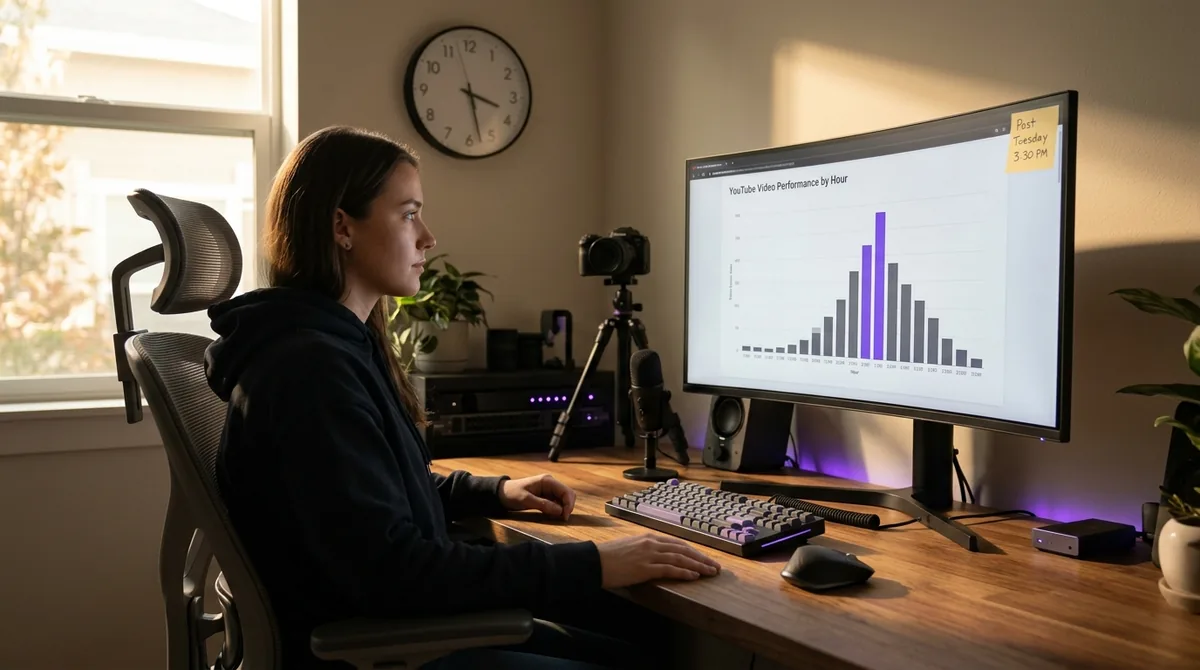
Maya's 90-day audit surfaced a clear pattern. Her top-performing videos — the ones that crossed 5,000 views in the first 72 hours — were almost all uploaded between 3:00 PM and 5:00 PM on weekdays. Her worst performers clustered around late evening uploads. The difference in 48-hour view counts between those two windows was over 60%.
This finding aligns with broader patterns in channel data. Based on AskLibra data from 4 connected channels and 511 videos analyzed, the average peak posting hour across connected channels is approximately 3:40 PM — a window that consistently outperforms early morning and late night uploads for driving initial engagement velocity.
But the key word is her data. Maya's audience skews toward first-time homebuyers aged 28–40 who browse YouTube after work. That demographic's active window is different from, say, a gaming channel targeting teenagers or a cooking channel serving stay-at-home parents. You cannot borrow someone else's optimal posting time. You have to find your own.
To understand exactly what a 90-day audit uncovers beyond posting times, see What 90 Days of YouTube Data Actually Reveals About Content Performance.
The Experiment: 30 Days of Disciplined Scheduling
Maya made one change. Just one. She did not redesign her thumbnails, change her topics, or alter her upload frequency. She simply locked her upload schedule to 3:30 PM on Tuesdays and Thursdays — the two time slots her data identified as highest-engagement windows — and held that schedule for 30 consecutive days.
The results over that period:
Average 48-hour view count: up 38% compared to the prior 30-day baseline
Average CTR: increased from 4.1% to 5.6%
Subscriber additions per video: up 41%
Watch time per session: increased by approximately 12%
By day 60, her channel had grown 40% in total subscribers. The thumbnails were the same. The topics were the same. Only the posting time had changed.
Why Consistency of Time Compounds Over Weeks
One underappreciated benefit of posting at the same time consistently is that it trains your subscribers as much as it trains the algorithm. When viewers know your videos drop every Tuesday and Thursday at 3:30 PM, a subset of them will check their subscriptions feed at that time. That creates a reliable cluster of early views — which is exactly the signal YouTube needs to begin broader distribution.
This compounding effect is why generic advice like "just post consistently" misses the point. Posting consistently at the wrong time does not help you. For a deeper look at why frequency without strategy falls flat, read Why 'Post Consistently' Is Bad Advice — And What to Do Instead.
Consistency of time, paired with consistency of quality, is what actually moves a channel forward.
How to Run This Experiment on Your Own Channel
You do not need Maya's exact posting window. You need yours. Here is the process:
Step 1: Pull 90 Days of Historical Performance Data
Export or analyze your last 90 days of uploads. For each video, record the upload time, the 48-hour view count, and the 48-hour CTR. You need at least 15–20 data points to see a reliable pattern. Channels with fewer than 20 uploads in 90 days should extend the window to 6 months.
Step 2: Group Videos by Upload Hour
Sort your videos into 2-hour time buckets: 6–8 AM, 8–10 AM, 10 AM–12 PM, 12–2 PM, 2–4 PM, 4–6 PM, 6–8 PM, and so on. Calculate the average 48-hour view count for each bucket. The bucket with the highest average is your candidate window.
Step 3: Control for Topic and Format
Before committing to a posting time, check whether your best-performing bucket is contaminated by topic outliers. If your one viral video (which happened to go live at 3 PM) is skewing the entire bucket, remove it and recalculate. You want the median performer in each bucket, not the outlier pulling the average up.
Step 4: Run a 30-Day Locked Schedule
Choose your top two candidate time windows and post exclusively within them for 30 days. Do not change any other variable. At the end of 30 days, compare your 48-hour average view counts to your baseline. A lift of 20% or more confirms the time window is working. A flat result means your bottleneck is elsewhere — likely your hook, your title, or your topic selection.
For help diagnosing hook problems specifically, see What is a YouTube Hook and How Long Should It Be?
Step 5: Revisit Every Quarter
Audience behavior shifts. Back-to-school season changes when students are online. Daylight saving time shifts active windows by an hour. A new job trend can change when your professional audience watches YouTube. Re-run your posting time analysis every 90 days to stay calibrated.
Tools like How AskLibra's 90-Day Analysis Works — And What It Finds in Your Channel automate this process, surfacing your peak performance windows without manual spreadsheet work.
What Format You Post Matters Too
Posting time interacts with content format. A YouTube Short and a 20-minute long-form video have different distribution mechanics and different audience behaviors. Shorts surface in the Shorts feed and are less dependent on exact upload timing — they have a longer shelf life in that feed. Long-form videos are far more sensitive to the upload window because they rely on the subscription feed and browse recommendations for initial traction.
If you are unsure how to balance Shorts against long-form in your publishing calendar, YouTube Shorts vs Long-Form: How to Decide What to Post breaks down the decision framework.
The Broader Lesson: Your Channel Is a Data Asset
Maya's 40% growth came from treating her channel as a data asset rather than a creative intuition project. The creative work — the scripting, the filming, the editing — did not change. What changed was her willingness to let the numbers tell her when to publish that creative work.
Most creators resist this because it feels mechanical. But publishing great content at the wrong time is like baking a perfect cake and serving it to an empty room. The cake is still great. No one eats it.
Your analytics are not a report card. They are a map. The posting time data tells you when the room is full. Everything else you already know how to do.
For creators who want to build this kind of systematic approach across all content decisions — not just posting time — How to Build a Complete Content System Using AskLibra walks through the full framework.
Frequently Asked Questions
Does posting time matter more for small channels or large channels?
Posting time has a larger proportional impact on small and mid-size channels because they have fewer subscribers generating reliable early views. Large channels with 500,000+ subscribers can absorb a poor posting time because their subscriber base creates a strong early engagement signal regardless. For channels under 50,000 subscribers, posting time optimization is one of the highest-leverage actions available.
What if my audience is spread across multiple timezones?
Look at your YouTube Analytics geographic data and identify your top one or two audience countries. Convert your optimal local posting window to the timezone where the majority of your views originate. If your audience is evenly split across timezones, target the overlap window — typically late afternoon US Eastern time also catches early evening UK viewers and captures a broad enough active window to generate meaningful early signals.
How many videos do I need before posting time data is reliable?
You need a minimum of 15 to 20 videos to see a statistically meaningful pattern. With fewer than 15 uploads, individual outlier videos can distort the averages too heavily. If your channel is newer, extend your analysis window to 6 months and focus on identifying the 3–5 videos that performed best in their first 48 hours, then look for shared characteristics in their upload timing.
Should I post at the same time every single week?
Yes, especially for long-form content. Consistent upload times build a viewer expectation pattern — subscribers begin anticipating your uploads and may actively check their feed at your regular posting time. This subscriber-driven early traffic is one of the cleanest signals you can give the algorithm. Deviating occasionally is fine, but inconsistent timing makes it harder to compound the scheduling advantage over time.
What if I change my posting time and my numbers get worse?
Run the new schedule for at least 4 full uploads before drawing conclusions. A single bad video after a schedule change does not invalidate the approach — topic, thumbnail, and hook quality also affect early performance. If after 4–6 uploads the new window is consistently underperforming your old baseline, revert and test a different time bucket. The goal is iteration, not a one-time fix.
Ready to see what the data says about your channel?
Stop guessing. Use AskLibra to get a personalized 90-day growth gameplan and find your perfect posting window.
No credit card required • Join 2,000+ creators